Company

We are building the operating layer for modern gaming centers.

InkPlay exists because gaming centers need more than a timer. They need a clean Controller for staff, a polished Agent for players, remote support tools, honest reporting, and branch security that does not slow the floor down.

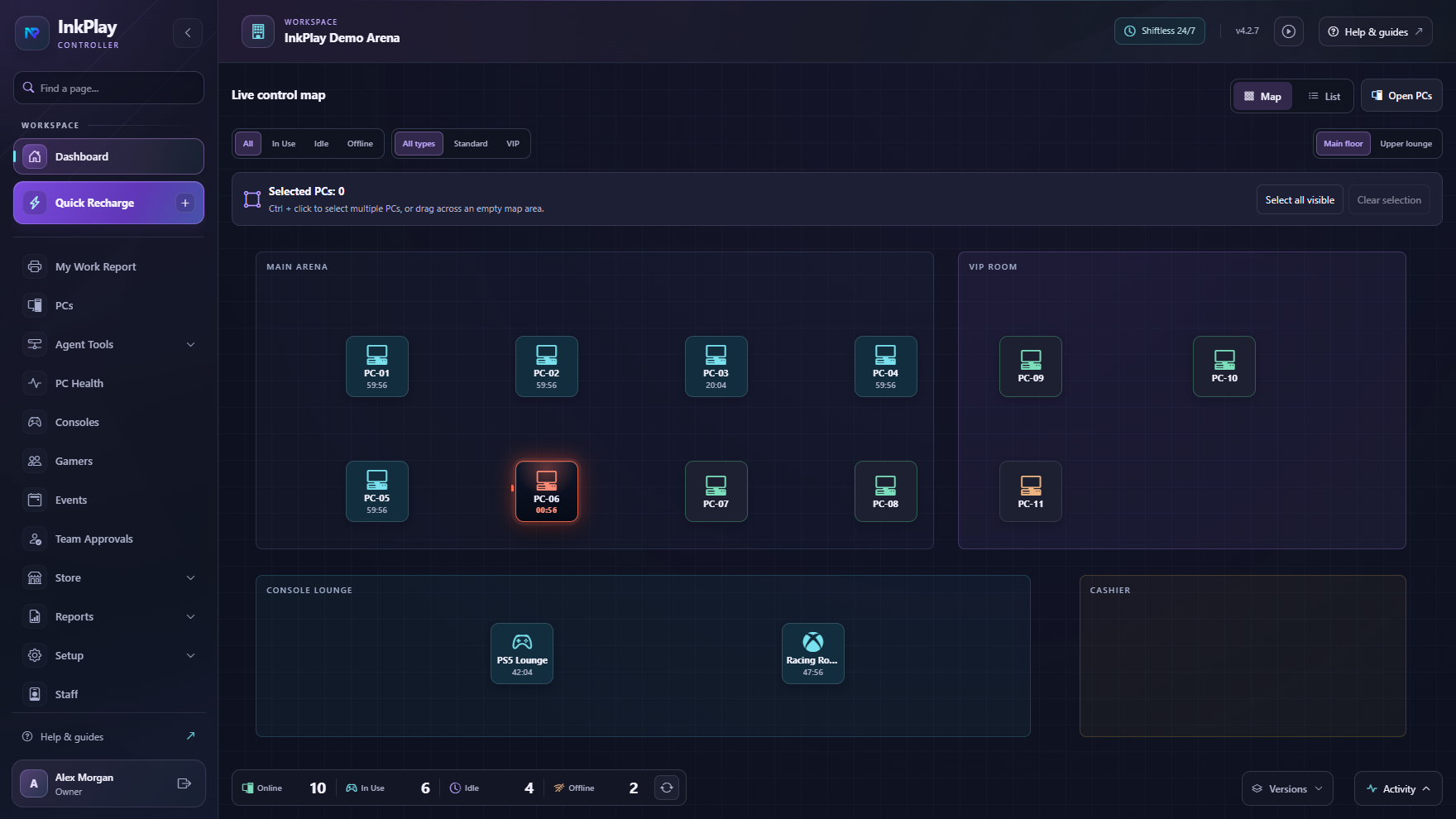
InkPlay Controller dashboard preview
Built around branch controlController, Agent, owner tools, and remote access in one system.

Our mission

Make gaming center operations feel controlled, not improvised.

We want staff to see what is happening, fix problems faster, move players without billing mistakes, and keep every PC inside a clear branch workflow.

Our vision

A complete local control platform for every kind of gaming space.

PC lounges, esports rooms, schools, universities, and mixed entertainment spaces should be able to run sessions, content, security, reports, and support from one coherent system.

The product

InkPlay is shaped from the branch floor upward.

The product started around Controller and Agent needs, then expanded into the pieces centers keep asking for: map control, guest credit, player history, game cards, app shortcuts, screen monitoring, task control, file access, menu permissions, local security, and owner visibility.
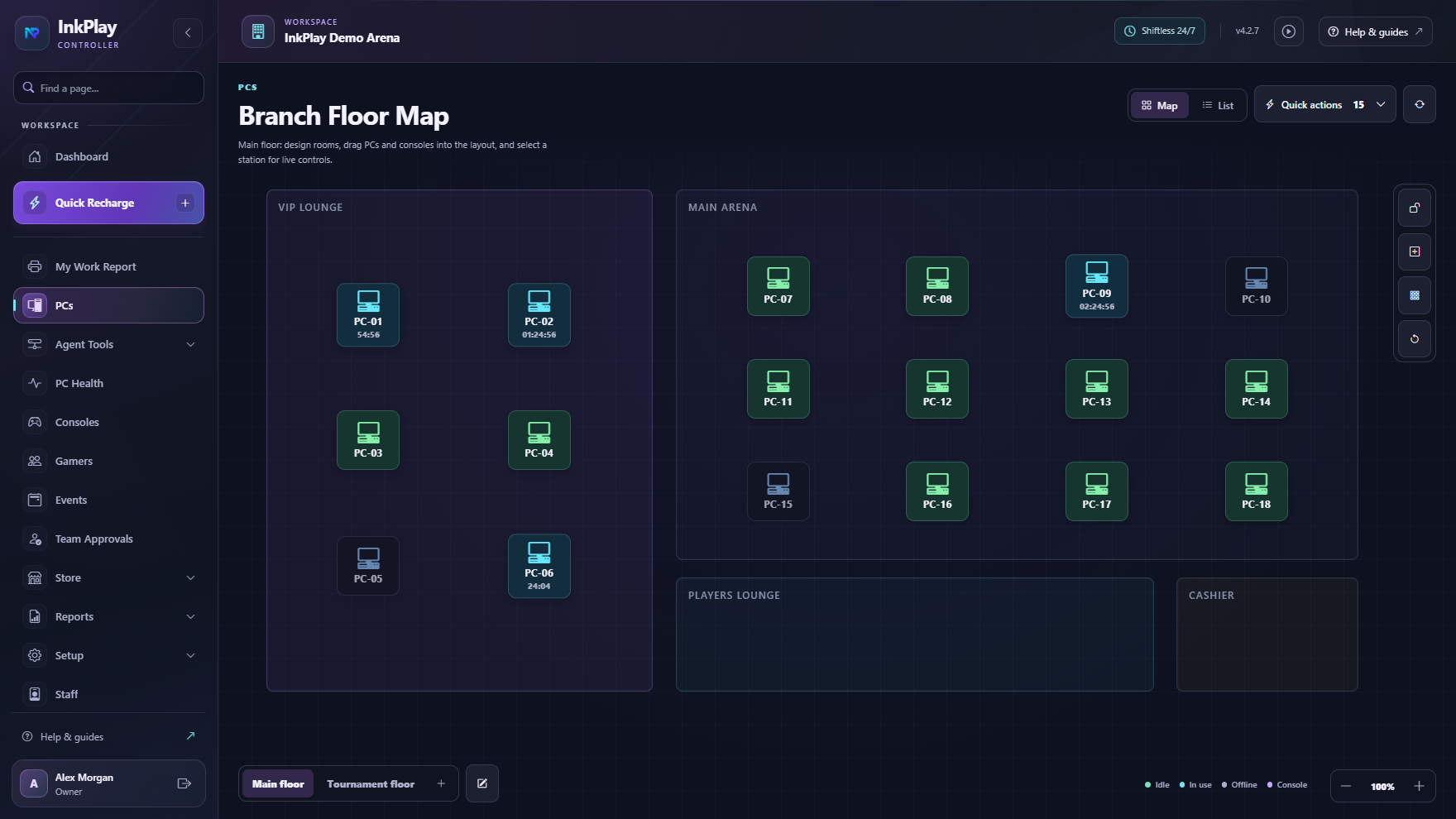
Built from real center workflowsInkPlay has grown through practical needs: moving sessions, managing PC rooms, saving guest time, handling players, and supporting Agent PCs.
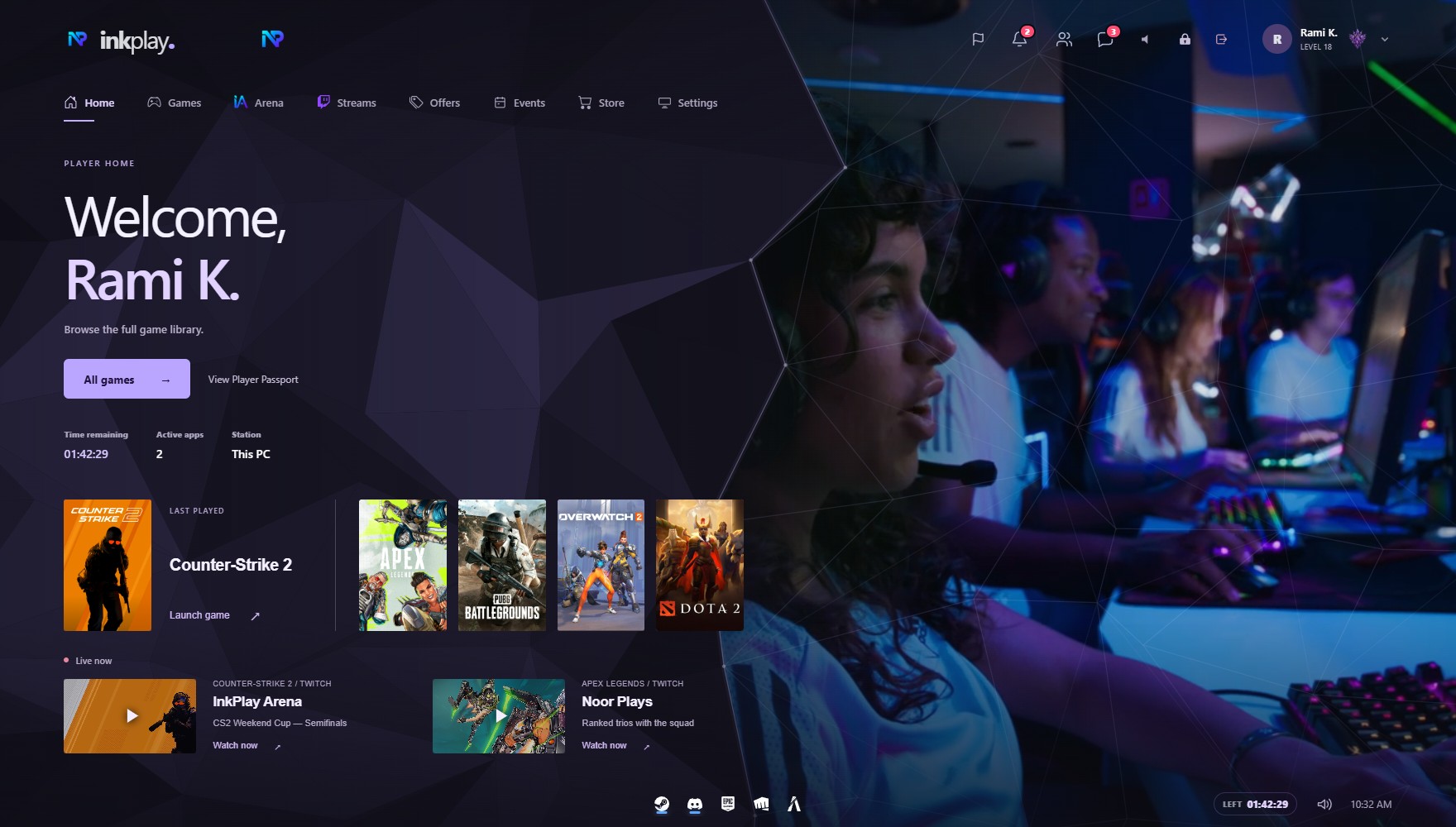
One product, two screensThe Controller gives staff command of the branch. The Agent gives players a clean, controlled place to launch games and ask for help.
Designed to keep expandingScreen monitoring, remote input, file access, process control, menus, permissions, and games are shaped as one long-term operating platform.
InkPlay graphical PC map
InkPlay fullscreen Agent shell

Company values

The standards guiding the product.

Fast at the branch

The Controller and Agent are designed around local work first, so staff can act quickly on PCs, sessions, and floor issues.

Clean enough for daily use

Gaming centers live inside the software for hours. We keep screens calm, readable, and focused on the next action.

Control stays protected

Branch activation, permissions, subscription rules, and recovery tools are built to reduce easy abuse and accidental damage.

Players should feel the polish

The Agent shell turns session time into a branded player experience instead of a small utility window.

What we build

One system that connects branch operations with the player PC.

Each module is meant to feel useful by itself, but stronger together: sessions connect to players, players connect to history, Agent PCs connect to remote support, and owner controls protect the branch.
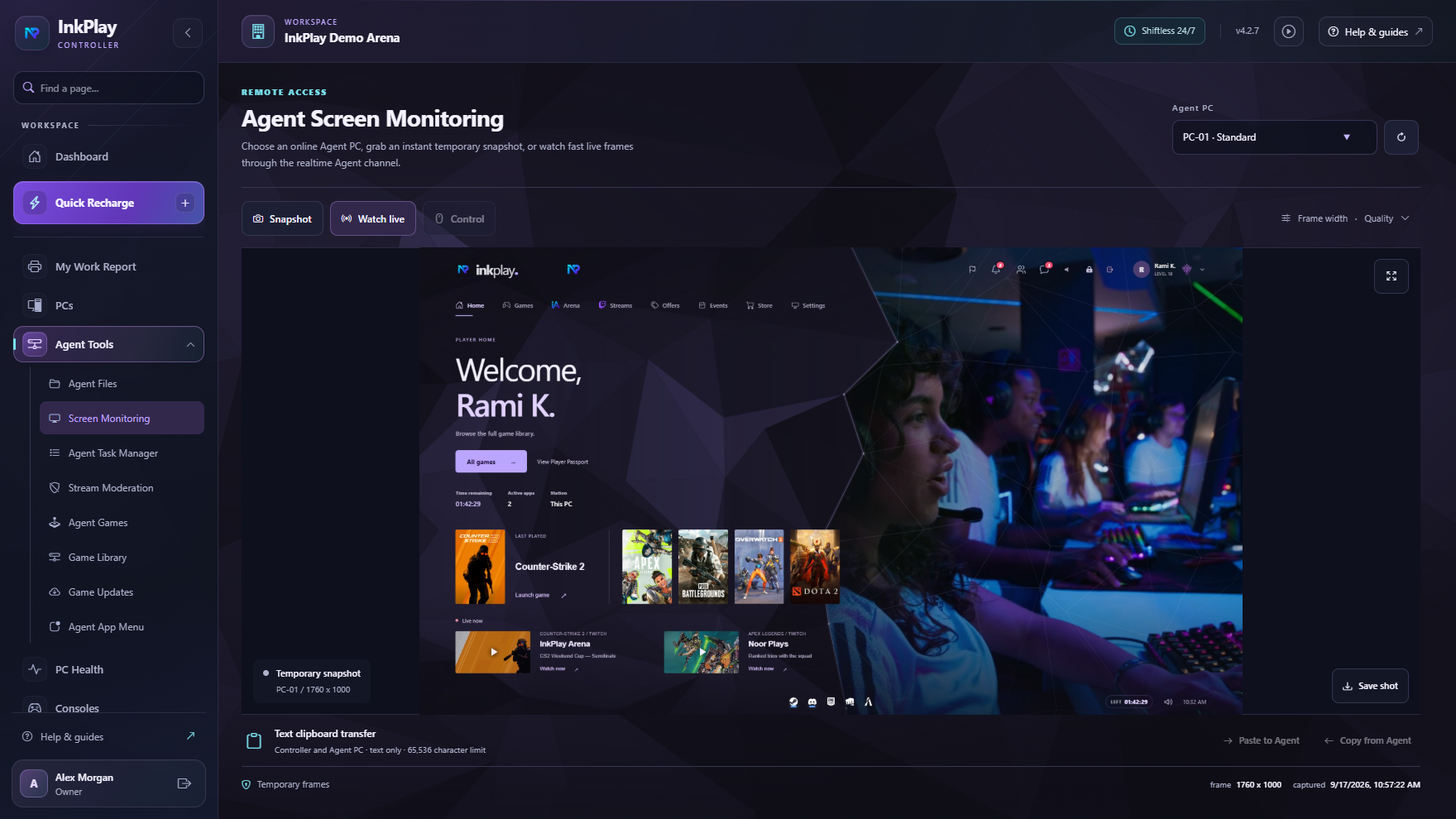
Controller operationsGraphical PC mapPlayer and guest sessionsFullscreen Agent shellRemote screen monitoringAgent files and task managerStore and shift flowReports and audit historyOwner platform controlsBranch activation security
InkPlay screen monitoring page
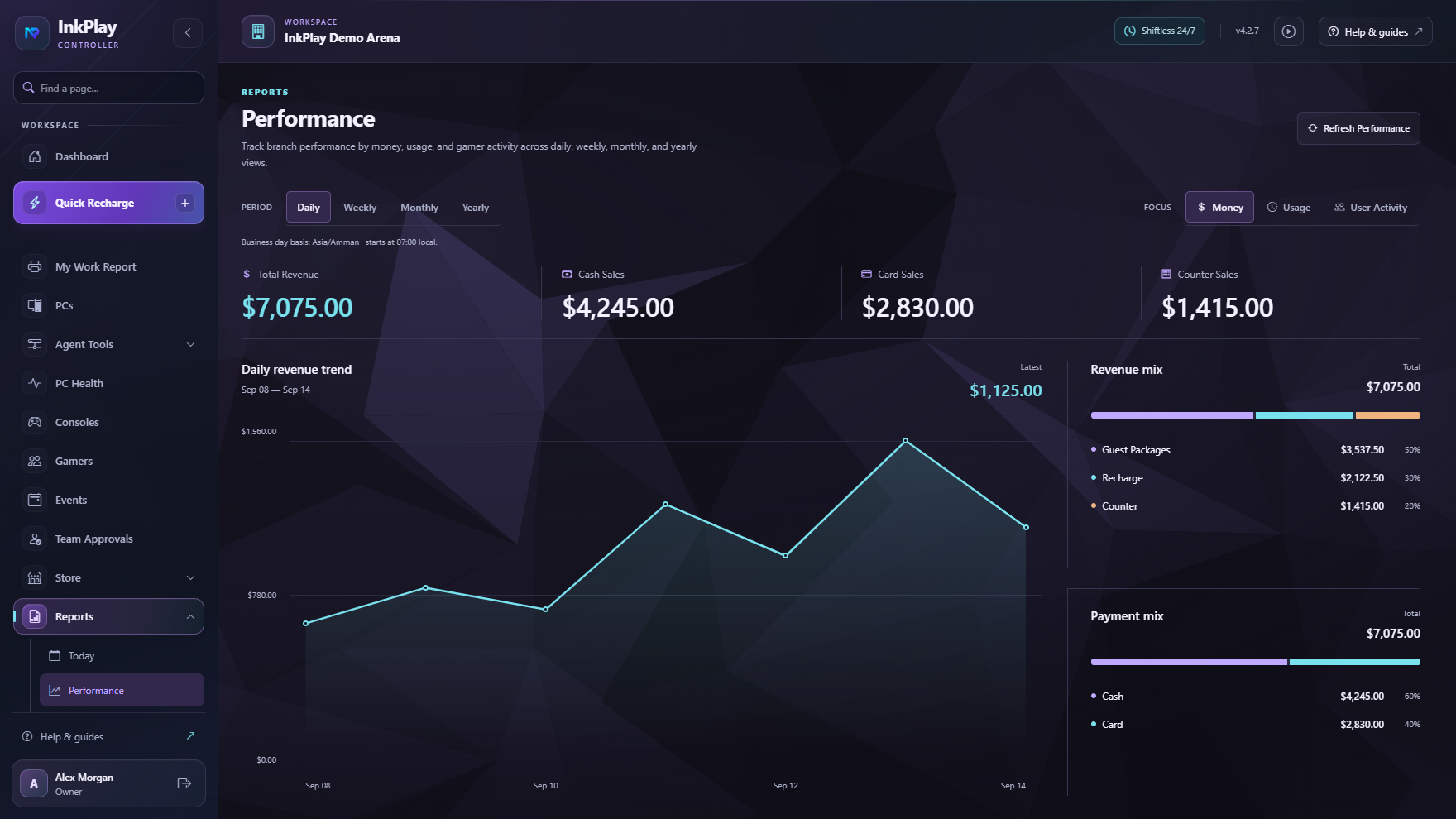
InkPlay performance reporting page

Common questions

Where does InkPlay fit?

Different operators describe the same need in different words. These answers keep the main site clean while helping owners find the page that matches the way they search.

Is InkPlay game center software?Yes. InkPlay helps game centers run PCs, sessions, staff flow, player accounts, displays, and reports.Read answerIs InkPlay gaming center management software?Yes. InkPlay connects sessions, PCs, staff flow, player balances, displays, and reports for gaming centers.Read answerIs InkPlay a gaming center app?Yes. It includes owner, staff, player PC, mobile identity, display, and reporting surfaces.Read answerDoes InkPlay include gaming center POS software?InkPlay ties paid sessions, balances, funds, debts, cashier shifts, store requests, and reports together.Read answerCan InkPlay work for gaming cafes?Yes. Gaming cafes can use InkPlay for walk-ins, packages, cashier flow, player accounts, and PC control.Read answerIs InkPlay gaming cafe software?Yes. InkPlay helps gaming cafes run walk-ins, packages, balances, cashier shifts, Agent PCs, and reports.Read answerCan InkPlay support gaming cafe POS workflows?Yes. It keeps playtime sales, packages, balances, shifts, store requests, and branch history connected.Read answerIs InkPlay PC cafe software?Yes. PC cafes can manage sessions, packages, player balances, cashier work, and returning regulars.Read answerIs InkPlay computer cafe software?Yes. Computer cafes can run paid access, time packages, customers, cashier shifts, Agent PCs, and reports.Read answerDoes InkPlay handle PC session billing?Yes. Paid time, packages, extensions, transfers, balances, and session history stay connected.Read answerCan LAN centers use InkPlay?Yes. LAN centers can manage PC rooms, station control, time packages, staff actions, and reports.Read answerCan gaming lounges use InkPlay?Yes. InkPlay supports PC and console sessions, groups, displays, promotions, and staff visibility.Read answerCan internet cafes use InkPlay?Yes. Internet cafes can run paid computer access, PC sessions, packages, cashier flow, and reports.Read answerCan esports venues use InkPlay?Yes. Esports venues can manage stations, sessions, teams, displays, staff flow, and event-day visibility.Read answer

Why InkPlay

Because the center should feel easier to run as it grows.

The goal is simple: give owners and staff a system that is powerful enough for real operations, clean enough for daily work, and flexible enough for the next features we keep adding.